
Game Studio docs
Game Studio is a free editor for the web games you make with Claude Code or Codex. You move things around in your game by hand, ask your AI for changes in the same window, and click Save. Your AI puts what you did into the game’s code.
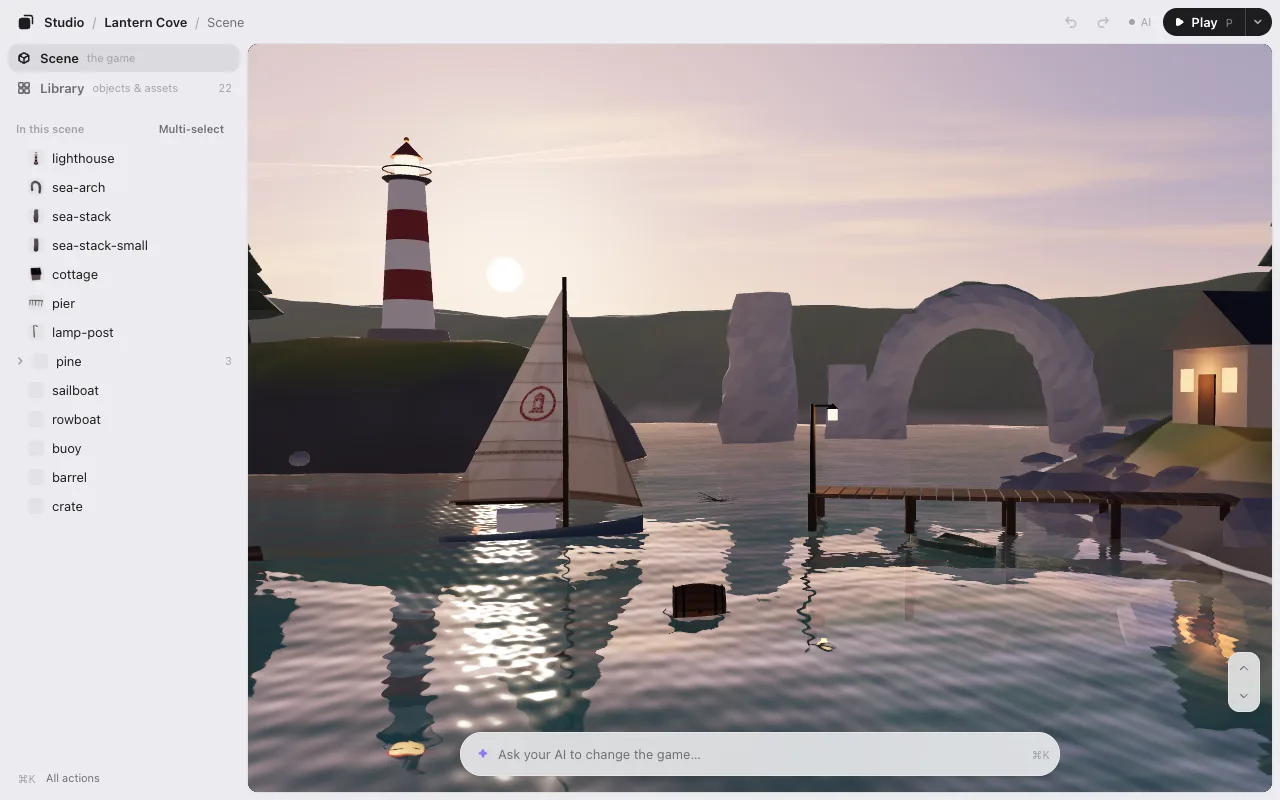
It runs on your computer, needs no account, and sends nothing anywhere.
Start here
- Getting started: install it with one line, then type
/arrange. - Editing: select, move, turn, resize, and look around. What Save does.
- Play: play your game right in the editor, pause it, and talk to your AI about what you see.
Go further
- Motion: make things move with a timeline, and choose when they start.
- Levels: switch between your game’s levels, copy and rename them.
- UI editing: move the title, score and buttons that sit over your game.
- Make with AI: make images, 3D models and sounds (optional, with a KUMODeck account).
Behind the scenes
- How it works: the files the editor writes, and how your game reads them.
- FAQ and troubleshooting: the editor’s link, Node.js, Codex, and what to do when something’s off.